
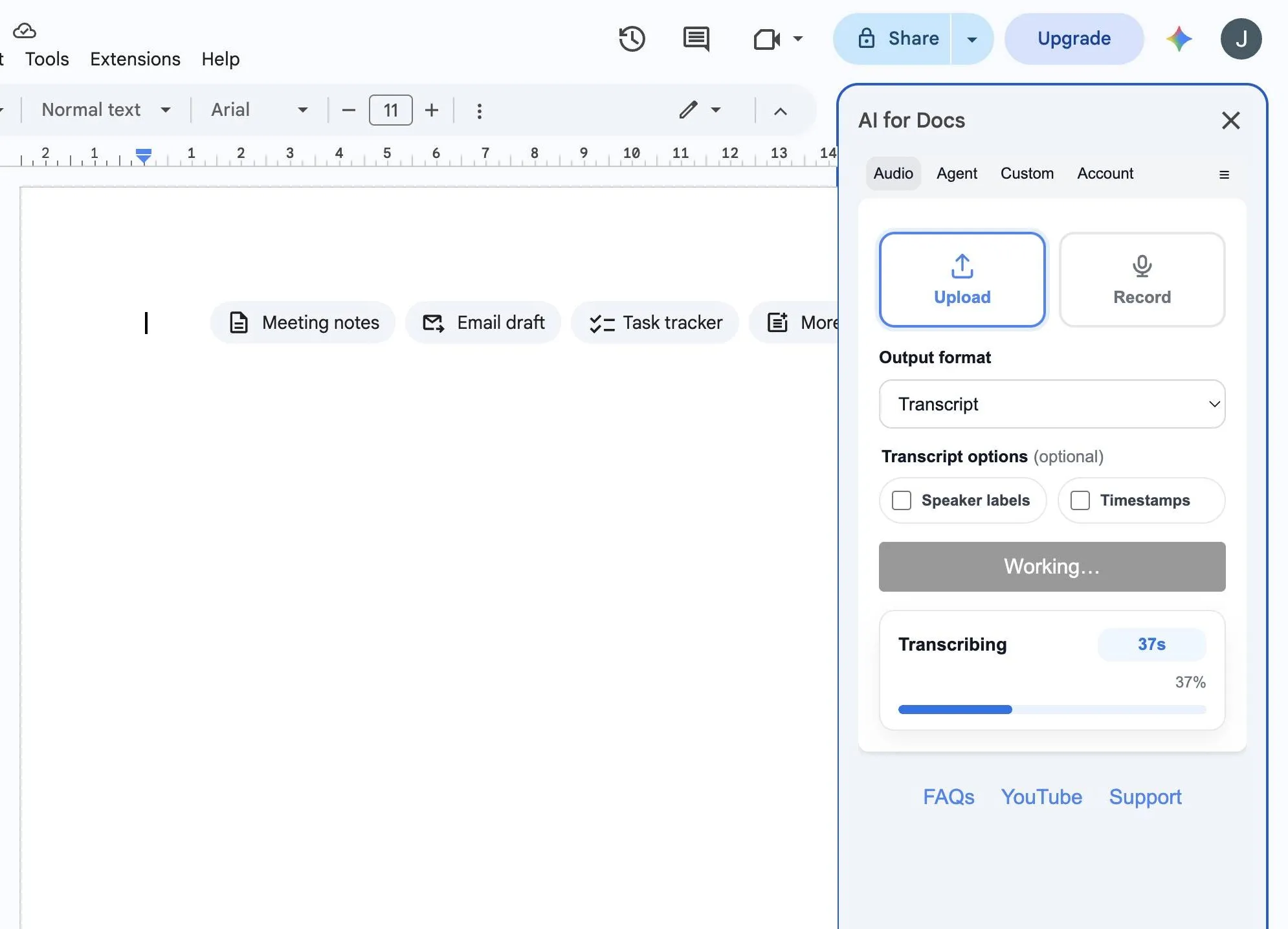
Choose the Audio to Text output you need
Transcripts, meeting minutes, and SRT subtitles, inserted into your Google Doc.
Transcript
Transcribe audio to text with optional speaker labels and timestamps for fast review.
Meeting minutes
Turn meeting, interview, lecture, podcast, or webinar recordings into a clean summary, decisions, action items, and notes.
SRT subtitles
Generate valid SRT subtitle text for video, podcasts, and social clips.
How does Audio to Text work in Google Docs?
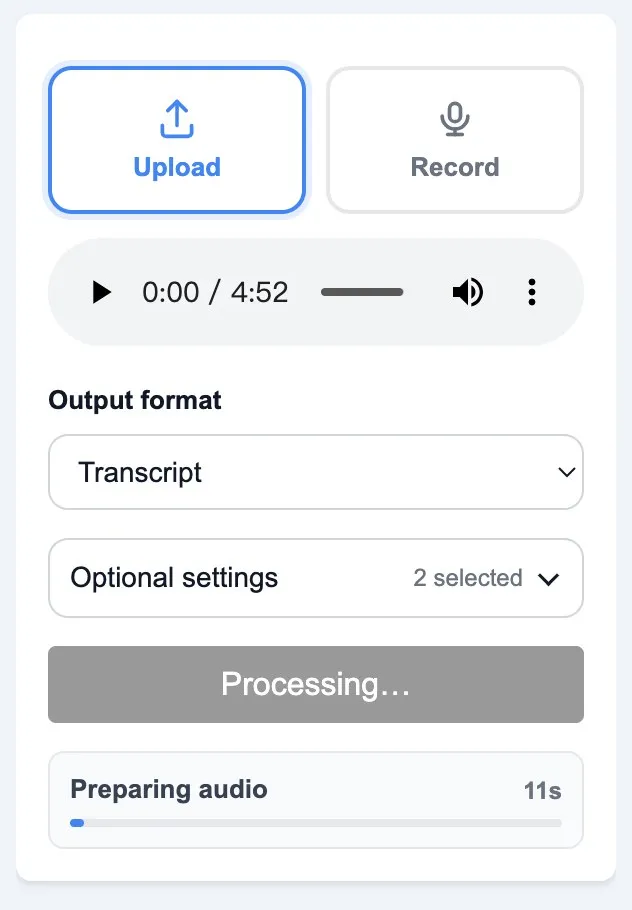
Open AI for Docs, upload audio or video, or record audio, then insert the transcript, minutes, or subtitle text into the current doc.
- ✓Upload audio or video in any common format
- ✓Choose transcript, meeting minutes, or SRT subtitles
- ✓Insert editable text into your Google Doc in one click
Have an existing recording? Follow the step-by-step guide to transcribing an audio file in Google Docs.
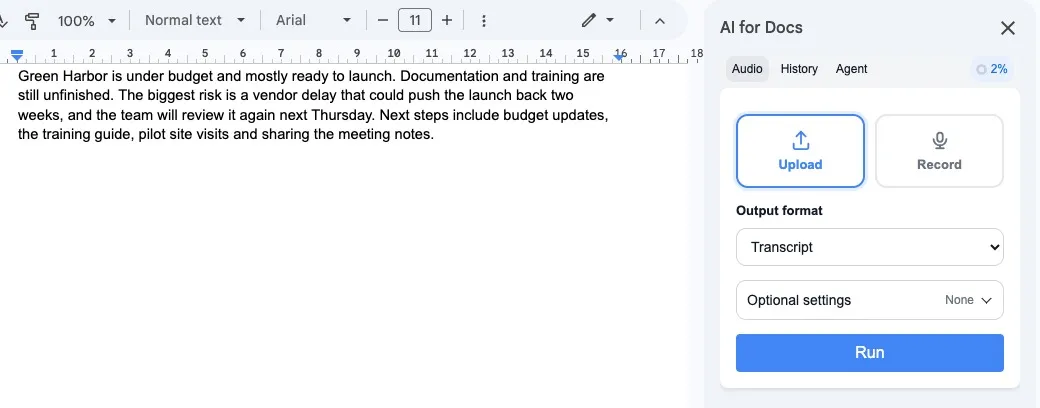
Meeting minutes that people actually read
Use the minutes template to turn meeting recordings, interviews, lectures, podcasts, webinars, or voice memos into a structured doc your team can act on.
- ✓Summary (3 to 6 bullets)
- ✓Decisions and action items
- ✓Notes you can skim and edit
Pricing
Start free. Upgrade when you need more usage credits.
Built by SimpleMetrics, maker of AI for Sheets used by 3M+ users.
FAQs
Do I need an API key?
No. AI for Docs works without you bringing your own API key.
Can I generate meeting minutes or a transcript from audio?
Yes. Use the Audio to Text flow to generate meeting minutes, a transcript, or SRT subtitles and insert them into your Google Doc.
Can I convert MP3 to text in Google Docs?
Yes. Upload an MP3 or any common audio or video file, then choose Transcript to insert editable text into your Google Doc.
Can I turn audio or video into text in Google Docs?
Yes. Upload an audio or video file in any common format, then choose Transcript to insert editable text into your Google Doc.
Is this speech to text or voice to text for Google Docs?
Yes. AI for Docs gives you a speech-to-text and voice-to-text workflow inside Google Docs, with output options for transcripts, meeting minutes, and SRT subtitles.
What kind of recordings can I use?
You can use meeting recordings, interviews, lectures, podcasts, webinars, voice memos, and videos in common audio or video formats.
Where can I get support?
Visit Help or email [email protected].
Is my data used for model training?
No. Your data is not used for model training.